
Digital Ticketing
Digital Ticketing
New for 2026/27
Loughborough Lightning introduced digital ticketing to make matchday entry at DPD Stadium at Franklin’s Gardens quicker, more convenient and more secure for supporters.
Season Tickets and Match Tickets can now be accessed directly through the mobile App of our partner club, Northampton Saints – allowing supporters to manage, save and share tickets from their mobile devices.
Download the Northampton Saints App
To access digital tickets for Loughborough Lightning matches, you must first download the Northampton Saints App.
Before You Start: Single Sign-On (SSO)
All supporters must complete Lightning’s Single Sign-On (SSO) process before they can access their account within the Saints App.
Completing SSO:
- Improves account security
- Reduces duplicate supporter records
- Simplifies digital ticketing and account management
Need to complete SSO?
Visit: Single Sign-On Information
Accessing Your Digital Tickets
Once you have downloaded the App and completed SSO, accessing your tickets is quick and easy.
Step 1: Download the Northampton Saints App from the App Store (iOS) or Google Play (Android).
Step 2: Open the App and select the ‘Profile’ tab.
Step 3: Log in using your account email address and password.
Please note: you must have completed the Club’s Single Sign-On process before you can access your account within the App.
Step 4: Select ‘My Tickets’ from your profile page.
Step 5: Your digital tickets will appear within the ‘My Tickets’ section. From here you can:
- View your seat details.
- Access the barcode required for entry at DPD Stadium at Franklin’s Gardens.
- Add your ticket directly to your Apple Wallet or Google Wallet.
Supporters logging into the App for the first time should allow a short period for tickets to appear.
Any additional match tickets purchased on behalf of friends or family, as well as tickets purchased for yourself for knockout fixtures, will also appear within ‘My Tickets’. Previously used tickets can be found under ‘Past Tickets’.
If your digital tickets are not visible after logging in, please contact the Ticket Office via ticketoffice@northamptonsaints.co.uk. Please allow a short period for tickets to appear when logging into the App for the first time.
Season Tickets
New for the 2026/27 season, all Lightning Season Ticket Holders have been issued with a Season Ticket card to provide access to DPD Stadium on matchdays. Season Ticket cards will be reactivated year-on-year, so do not throw yours away at the end of the campaign!
Additionally, Lightning Season Ticket Holders can access DPD Stadium on matchdays via Digital Season Tickets on the Saints App.
Digital Season Tickets:
- Are free to use
- Update automatically
- Can be added to Apple Wallet or Google Wallet
- Provide convenient access on matchdays
Match Tickets
Match Tickets purchased will also appear within the ‘My Tickets’ section of the App.
This includes:
- Individual match purchases
- Additional tickets purchased for family and friends
- Knockout fixture tickets
Match Tickets can also be added to Apple Wallet or Google Wallet. Previously used tickets can be viewed in the ‘Past Tickets’ section.
Managing Digital Tickets for Family and Friends
The App also makes it easier for supporters attending matches with family and friends.
You can access tickets for multiple people on your App through your Network on your ticketing account. Once supporters have connected their accounts through the Network:
- One mobile device can be used to view and scan multiple Season Tickets or Match Tickets for access into DPD Stadium at Franklin’s Gardens on matchdays.
- Season Tickets or Match Tickets purchased by one supporter can also be used on another supporter’s device.
This means, for example, that a parent can scan their entire family into DPD Stadium at Franklin’s Gardens using one phone, or a supporter who has purchased tickets on behalf of friends can allow those friends to access their tickets directly through the app.
For guidance on setting up your Network, view the Club’s step-by-step guide HERE.
Sharing Digital Tickets
If you want to send tickets to family or friends who are not connected to your ticketing account Network, you can do so once your Season Ticket or Match Ticket has been added to your Apple Wallet or Google Wallet.
Tickets can then be shared using your device’s built-in sharing functionality, including via WhatsApp, email, text message and other supported apps. Simply open the ticket within your mobile wallet and select Share.
This gives supporters a simple and flexible way to distribute tickets when required, while ensuring entry to DPD Stadium at Franklin’s Gardens remains quick, convenient and secure.
Please note:
When sharing tickets via your mobile wallet, both supporters must be using the same type of device. Apple Wallet tickets can only be shared with another Apple device, while Google Wallet tickets can only be shared with another Android device.
Terrace Tickets
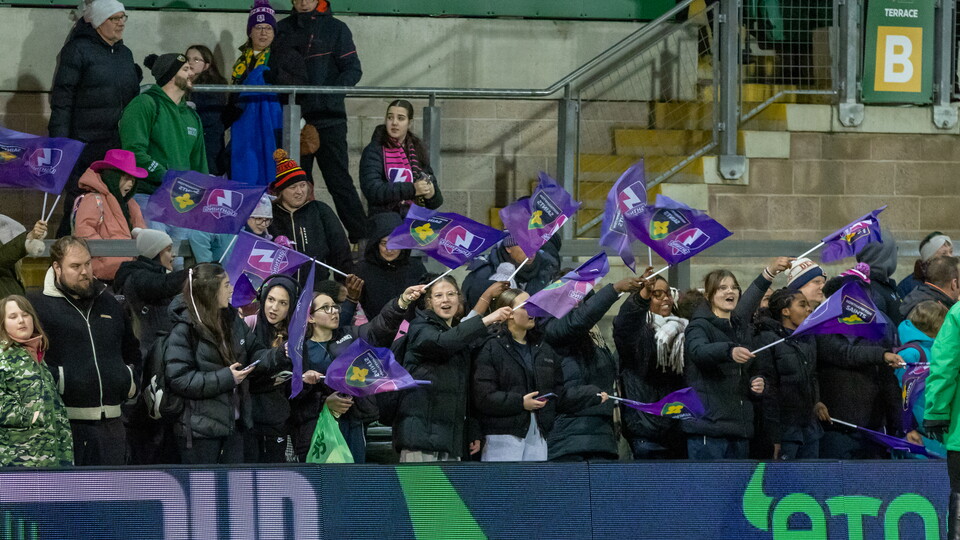
Supporters with tickets for the Terraces should note that while the digital ticket displays a specific row and seat reference, this is used for ticketing and operational purposes only.
All of our terraces are unreserved standing areas. Your ticket still provides access to the Terrace area as normal, and does not allocate a specific standing location within that Terrace.
Need Help?
If you need assistance with digital ticketing, Single Sign-On or your ticketing account, please contact the Ticket Office:
Email: ticketoffice@northamptonsaints.co.uk
Phone: 01604 581000
FREQUENTLY ASKED QUESTIONS
FREQUENTLY ASKED QUESTIONS
My tickets are not showing in the app. What should I do?
First, ensure that:
- You have completed the Club’s Single Sign-On process.
- You are logged in using the same email address linked to your ticketing account.
Please allow a short period for tickets to appear after your first login.
If your tickets still do not display, contact the Ticket Office.
Email: ticketoffice@northamptonsaints.co.uk
Phone: 01604 581000
Can I use one phone to enter with multiple tickets?
Yes. You can access tickets for multiple people on your Saints App through your Network on your ticketing account.
Once supporters have connected their accounts through the Network:
- One mobile device can be used to view and scan multiple Season Tickets or Match Tickets for access into DPD Stadium at Franklin’s Gardens on matchdays.
- Season Tickets or Match Tickets purchased by one supporter can also be used on another supporter’s device.
This means, for example, that a parent can scan their entire family into DPD Stadium at Franklin’s Gardens using one phone, or a supporter who has purchased tickets on behalf of friends can allow those friends to access their tickets directly through the app.
For guidance on setting up your Network, view the Club’s step-by-step guide HERE.
Can I share my ticket?
Yes. Tickets saved to Apple Wallet or Google Wallet can be shared using your device's standard sharing functions.
PLEASE NOTE: When sharing tickets via your mobile wallet, both supporters must be using the same type of device. Apple Wallet tickets can only be shared with another Apple device, while Google Wallet tickets can only be shared with another Android device.
Will I get a new plastic Season Ticket card every season?
No. Season Ticket cards will be reactivated year-on-year, so do not throw yours away at the end of the campaign!
Can I still have a physical Season Ticket card?
Supporters who requested a physical card during the purchase process will receive one. If you would like to discuss physical card options, please contact the Ticket Office.
Email: ticketoffice@northamptonsaints.co.uk
Phone: 01604 581000